WAZER Pro Maintenance Schedule
Just as other machinery, WAZER Pro needs regular maintenance to keep all the components and systems in good working conditions. WAZER Pro tracks the total run time, you may find the total cut time in “Setup and Maintenance“ > “Machine Info“ > “Total Cut time“. This helps you take out the guess work on how many hours you have put through your machine and if a particular servicing is needed.
Between-Cut Maintenance
Interval: < 4 hours
(<100 lbs / 45kg of abrasive)
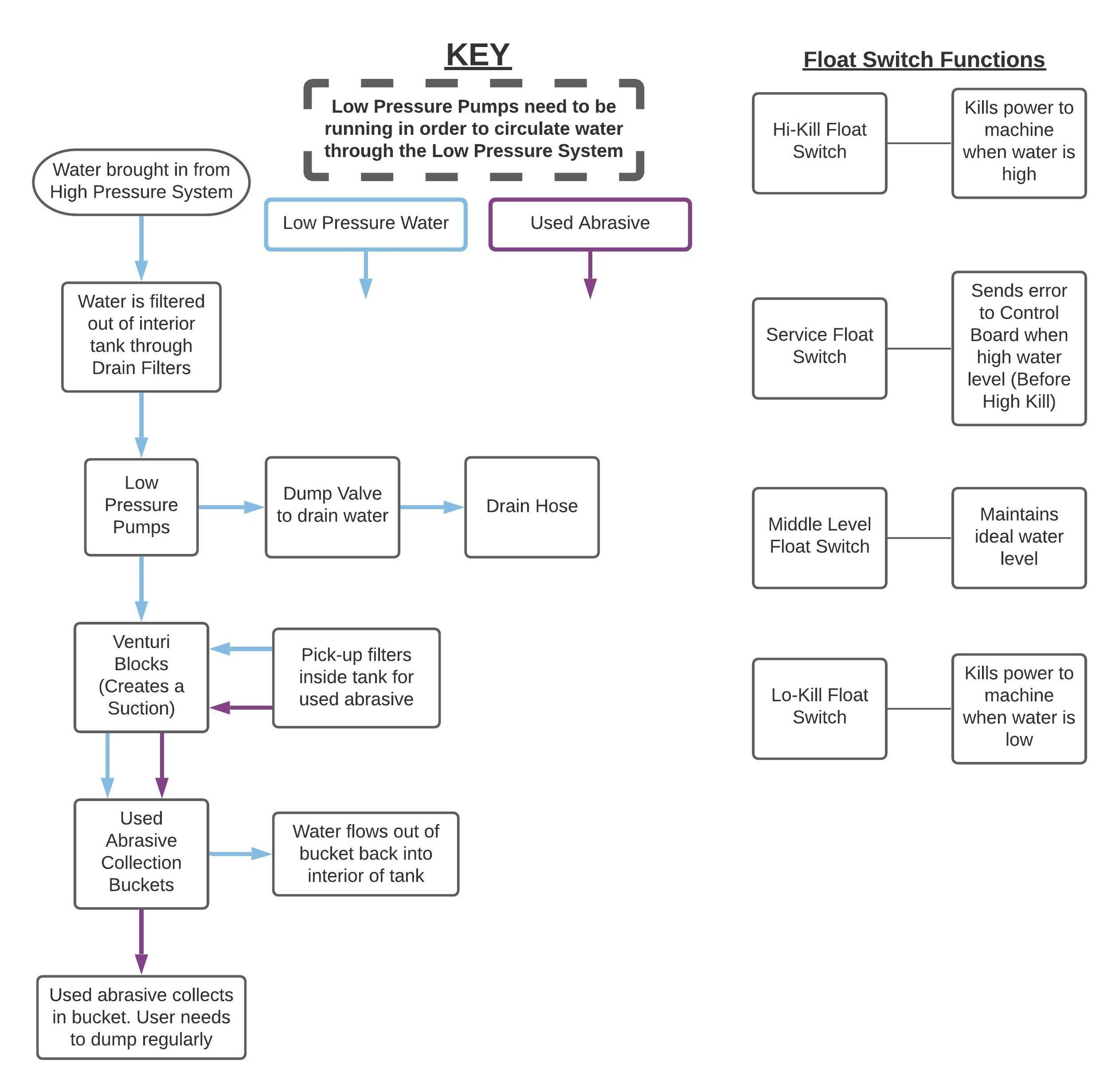
This article displays what a normal used abrasive collection performance should look like, and how to help the WAZER Pro low pressure system to regain its performance
This article introduce you how the tank cleaning cycle is carried out, what its purpose and how often you should conduct one.
This article introduces you the components of the WAZER Pro Dry Abrasive system, how each components work together and what are their proper configuration
WAZER Pro is a machine that involves high pressure water stream. Several seconds spent checking for water leak and inspect water seal can help saves hours down the line.
Short-Term Maintenance
Interval: 10-100 hours
(200 lbs – 2000lbs / 90kg – 900kg of abrasive)
Cut bed is a consumable item, its structure is depleted gradually but the high pressure steam from the Nozzle. When the Cut Bed is too worn to hold the cut material solidly or evenly, it is time to flip or swap the Cut Bed.
While the Cut Bed is out of the WAZER Pro either for Flipping or Replacement, it is always a good chance for you to measure the used abrasive accumulation in the tank bottom. If you detect any accumulation, it is always recommended to clear it in the early stage than let it deteriorate.
Used Abrasive Pick Up Lines are the vital part in the Low Pressure System. They can be clogged and completely stop used abrasive from being collected. Use the pre-installed Pick Up Line Purge system to clear the hoses can bring their function back.
Abrasive needs to be flowing in a tightly controlled rate for smooth operation and successful cutting. Check the Abrasive flow rate regularly and reset the flow rate if necessary.
High Pressure system is the heart of WAZER Pro. This instruction teaches you how to check it performance and what to look out for during the inspection. Intervene promptly if you see anything out-of-place.
Backflow Sensor is the last line of defense before water enters the abrasive hopper. Ensure the proper function of the backflow sensor is key to prevent lengthy troubleshooting and cleaning.
Inlet Water Filter Canister is the first line of defense for WAZER Pro Pump and other High Pressure Components. Regular cleaning is vital to maintain the proper function of the Pump and High Pressure System.

The first 30 hours of operation is the break-in period. During this period, metallic debris can accumulate quickly in the Water Pump Crank Case. It is vital to drain the oil and remove the metallic debris to achieve a long lasting pump.

The Nozzle Filter Core is the last line of defense before water meets the Jewel Orifice, the most vital part of the High Pressure System. Cleaning Nozzle Filter Core ensure no debris can damage or clog the orifice, achieving a smooth operation for a long time.
Medium-Term Maintenance
Interval: 300 hours
(6000lbs / 2700kg of abrasive)
WAZER Pro Gantry system is placed in a sealed compartment and generally maintenance-free. But it is recommended to check its function after extended operation and intervene early for any abnormality.
If the kerf of your WAZER Pro is getting larger, it is time to replace the nozzle assembly on your WAZER. If the orifice stream is not in a good shape, it is time to check and replace the Jewel Orifice.
Nozzle Assembly is the business end of WAZER Pro. Check it performance and replace any worn part ensures smooth operation.
Clutch transfer the mechanical energy from AC motor to the High Pressure Water Pump. Its function directly affect the high pressure system performance and the outcome of cut.
Backflow Sensor is made of static-dissipating polymer and can be worn out by the flowing abrasive particles. Replacing the worn sensor can prevent failed cut and length troubleshooting in the future.
Similar to a car engine, the oil in the WAZER Pro High Pressure Pump needs regular replacement. Failure to do so may result in permanent damage of pump.
Long-Term Maintenance
Interval: 600-2400 hours (3 different stages)
(12,000lbs / 5,400kg to 36,000lbs/16,200kg of abrasive)
WAZER Pro High Pressure Pump can be quickly rebuild by replacing the pump head. After the pump head replacement, performance can be regained to the full extend.
High Pressure Plumbing and Damper Valve may start to show wear and tear after extended operation. If you see the reinforcement of the high pressure hoses exposing, or leaks appeared along the high pressure plumbing and fittings, rebuild the high pressure system according to this instruction.
Clutch Pressure Plate is a vital Drive Train part transmitting the rotation energy from the AC motor to the water pump. After 1200 hours of operation, the pressure plate will gradually wear out and start to slip. Machine cutting performance degrades if clutch slips. Replace the pressure plate at this time is crucial to bring back the cutting performance.
The Pressure Plate of the WAZER Pro clutch will wear out after extended operation cycle. If you hear squeaking sound during the engagement and disengagement of the clutch, or the clutch is no longer solidly engaging, it is time to rebuild the clutch.
Other Maintenance
Interval: >1000 hours
(>20,000lbs / 9,000kg of abrasive)
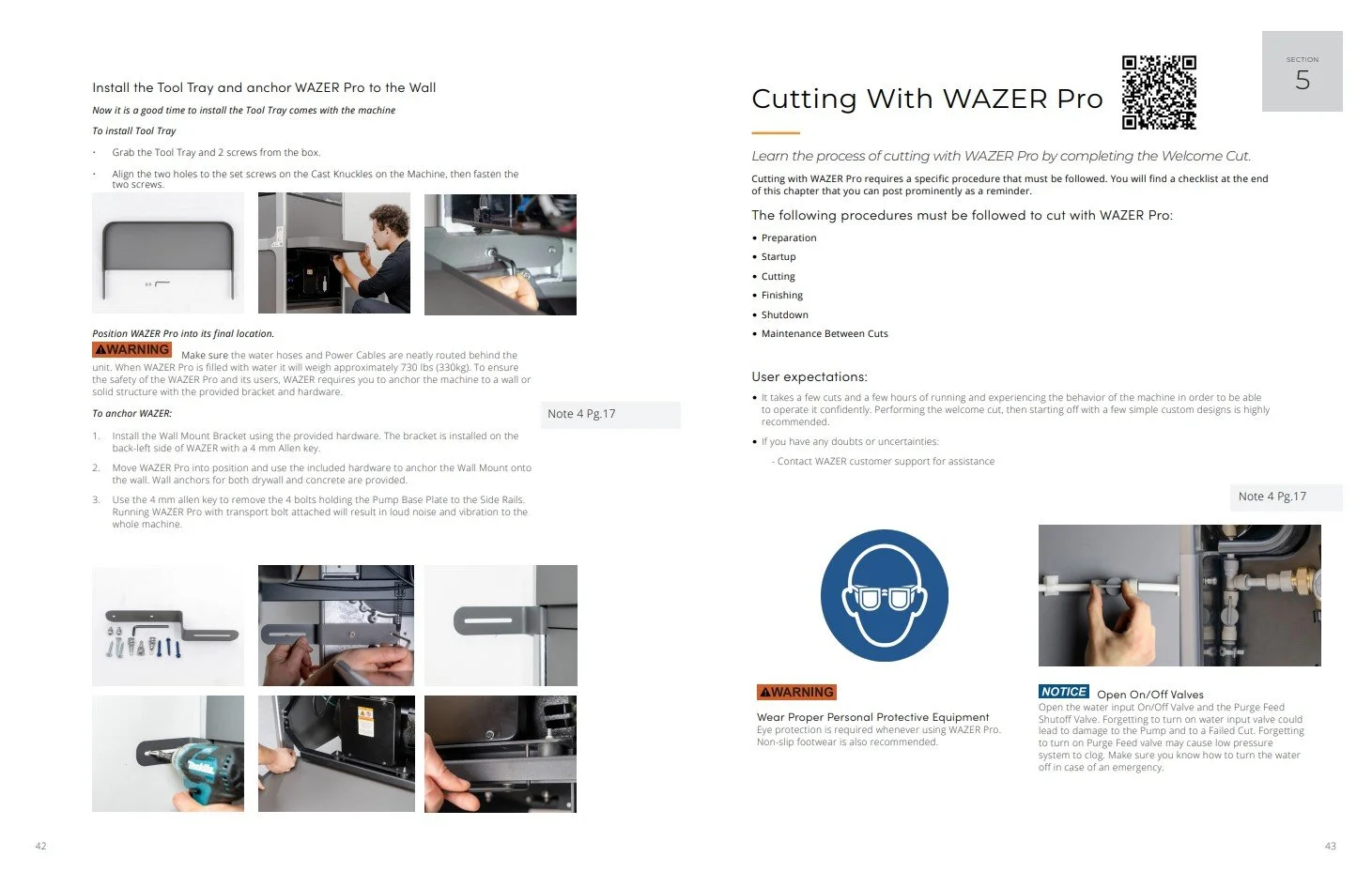
This article displays how the transport bolts can be removed and re-attached for safe relocation.
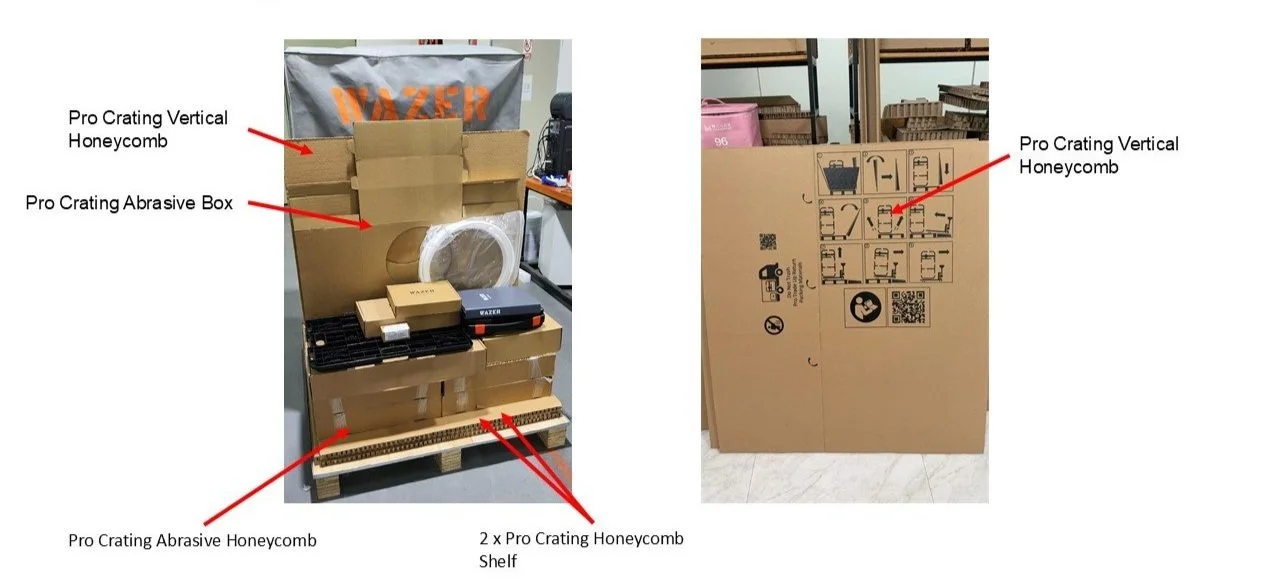
This article instruct the user on how to safely pack the desktop using recently arrived Pro shipping materials.